ShopBot & ShopIntelligence (2026)
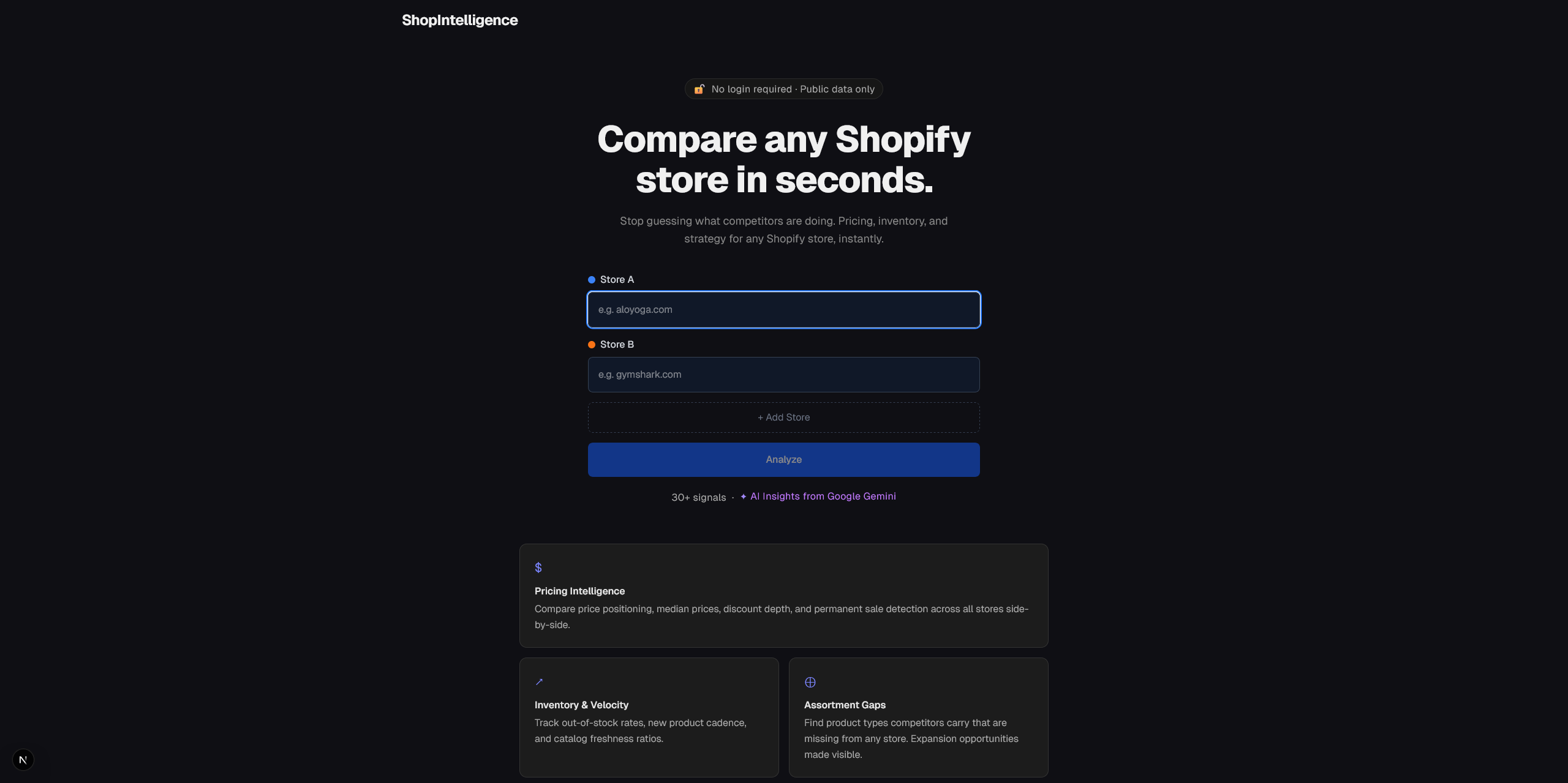
Table of Contents
A few weeks ago a friend at Shopify published a post on LinkedIn about his role with a link to the career website as his team was looking to hire new people.
While this specific role wasn’t the right fit for me, it made me look at other open roles they had in Toronto until I found one. I hopped on a call with him to catch up and get some insights into what the team was currently looking for. We also talked about AI and the new releases they made recently.
At the end of last year, Shopify announced the Shopify Catalog MCP during their Winter ‘26 Edition and they opened it up to all brands in January 2026. As I had very limited exposure to the Shopify ecosystem in my career, I decided to apply, complete the Solutions Architect track on the Academy website, and build a couple of projects with Claude Code to get more familiar with their platform.
ShopBot

ShopBot is the first idea I had.
It’s a conversational CLI agent that lets you search for products using natural language (plain English). Since Google gives API keys to try some of their models for free through AI Studio, I hooked it up to Gemini Flash 2.5 to understand the user intent and query the Shopify global product catalog to find relevant results with prices, ratings, and direct checkout links.
It’s only a few hundred lines of code and was a great introduction to see how easy it was to use the Catalog MCP server. Thanks to this project, I stumbled upon VHS, a neat tool to create a CLI tool demo GIF in seconds. All you need to do is to create a demo.tape in which you set your demo parameters (the shell, font size, theme, prompt, wait time, etc.) and you get a nice GIF of the demo in return.
ShopIntelligence
While ShopBot was a cool project, it was a bit too simple. I wanted to build something that was more complex and could provide instant value to Shopify store owners. That’s when I learned that Shopify stores expose a lot of data publicly. You don’t need to build a complex web scraper to retrieve store, product, and pricing information. The project was found. The tagline? Compare any Shopify store in seconds.
With just an URL, you can retrieve 30+ signals which makes it super easy to compare stores between them.
| Section | Signals |
|---|---|
| Pricing | Price positioning, median price, discount depth, permanent sale detection, price tier (Value / Mid-Range / Premium) |
| Inventory & Velocity | Out-of-stock rate, new product cadence, catalog size, freshness ratio |
| Assortment Gaps | Product types one store carries that others don’t - expansion opportunities made visible |
| Collection Strategy | Collection count, naming patterns, hierarchy depth |
| Content Quality | Description length, image count, SEO posture signals |
| Tech & Storefront | Installed apps detection, theme identification, headless framework signals |
| Markets | Multi-currency and multi-language market detection |
| Blog Activity | Post frequency, recent activity, content consistency |
When the project started, I only gathered a few signals, but the more I explored what was possible, the more features I added. Instead of having one page, I had to create an entire dashboard to show all the data and insights.
I heavily tested it against Japanese knives stores in Toronto (I had one gifted to me for my birthday) as I was genuinely curious as to what could be the main differences between them. What I found is despite looking similar from a shopper perspective, they are wildly different in terms of positioning, catalog depth, pricing/discount strategies, or on how they use their online store for marketing by using third-party applications and Shopify extensions.
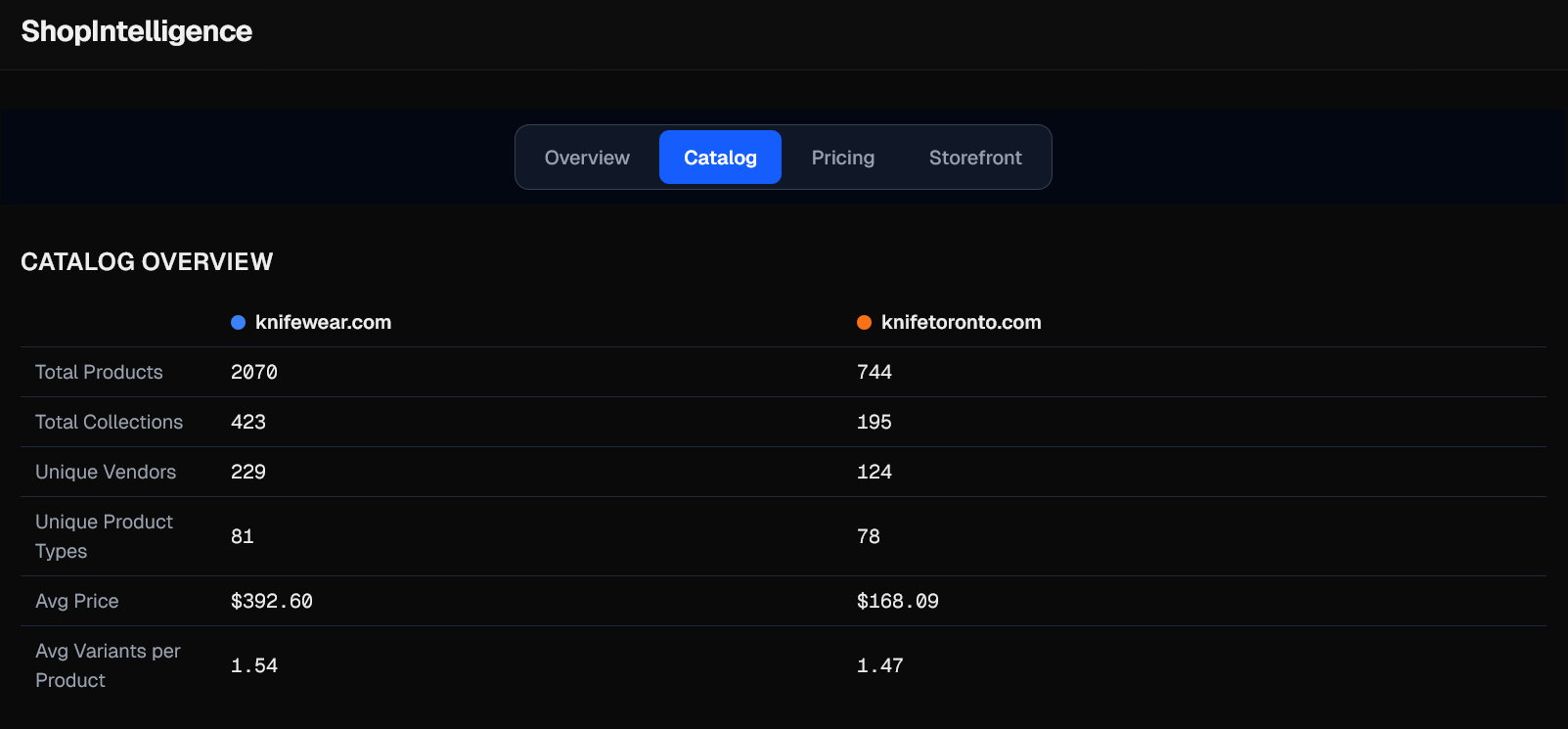
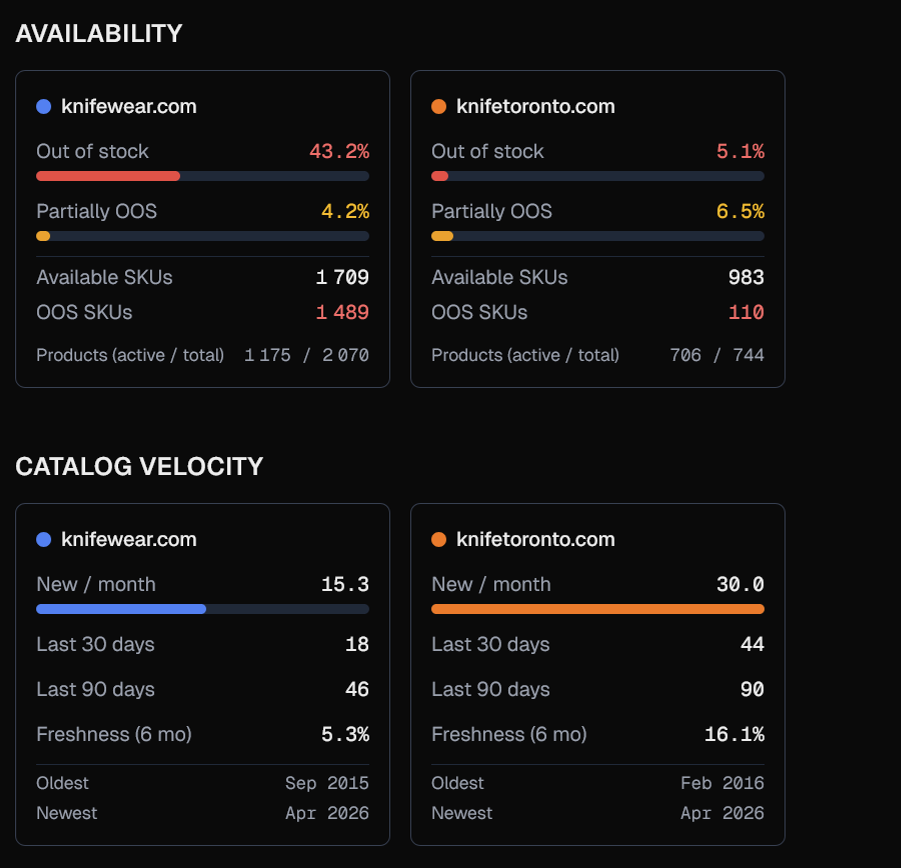
One store can have thousands of SKUs (product variants) in their catalog (but 40% of them are out of stock) when another only has a few hundred with 95% availability and a higher velocity.
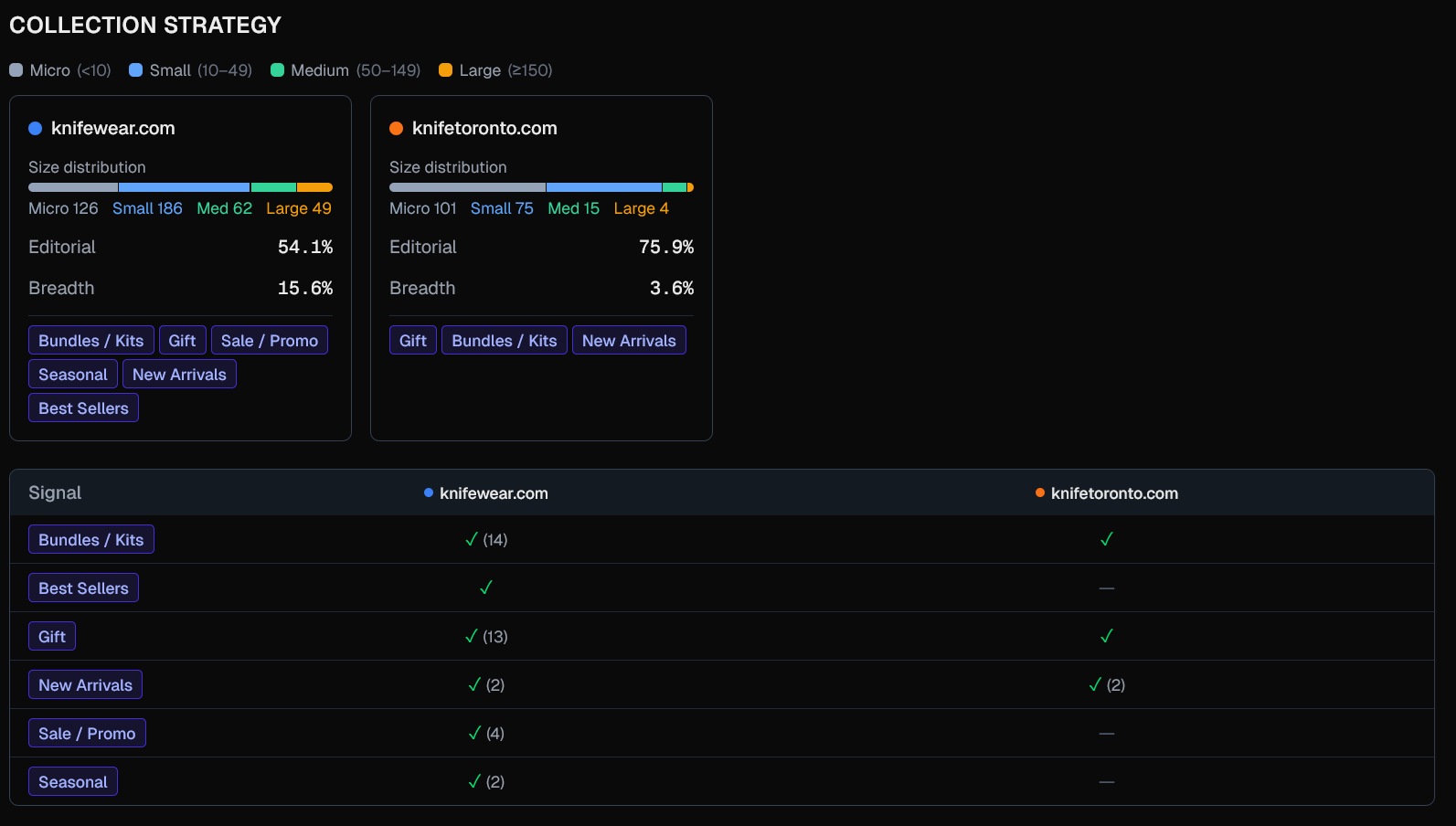
Stores also have different strategies in how they manage their collections (grouping of products to make it easier for customers to find them by category). Think about “Best Sellers”, “New Arrivals”, “Sales”. Having a poor collection strategy is highly likely to impact sales and conversion as customers don’t have a simple way to find your products.
There’s a lot more you can find that I didn’t mention here, and a lot more I could add. Paid products in this space are adding Meta ads, sales estimations, and more.
Check out ShopIntelligence on GitHub if you’re curious and let me know if you find any interesting store comparisons!