Upgrade to Noctalia v5

Table of Contents
On September 3rd, the Noctalia team released the first stable version of v5, after 10 beta releases following the last v4 release (v4.7.7) on May 13, 2026.
The v5 (v5.0.1) is a complete rewrite in C++ that is designed for total control and long-term stability. The rewrite was announced on April 24 and is NOT a direct upgrade over v4.
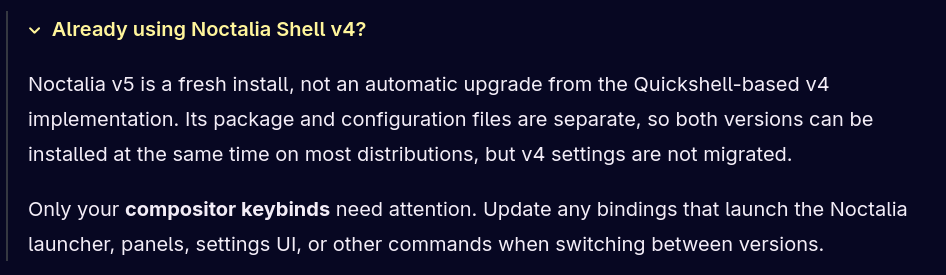
- v5 installs separately and does not replace v4.
- v4 settings are not migrated, but both versions can coexist on most distributions.
- Any compositor keybinds that launch Noctalia commands needs to be updated as v5 is using a new syntax
Installation
To install it on Arch Linux distribution such as CachyOS, run the following command. If you have another distribution, head over to the Installation page.
# Install noctalia v5
sudo pacman -S noctalia
Set up
To run Noctalia automatically and not just once, you need to tell your window manager to auto launch it at startup. Since I’m on Niri, I just need to replace the v4 entry at the end of my configuration file by the new syntax. You can either add the line in ~/.config/niri/config.kdl or in ~/.config/niri/cfg/autostart.kdl that the main config file imports.
# Open the autostart config file
nano ~/.config/niri/cfg/autostart.kdl
// Replace spawn-sh-at-startup "qs -c noctalia-shell" by the following
spawn-at-startup "noctalia"I’m not sure if this is still the default behaviour with v5, but in v4 I needed to add the following code in the main configuration file to have my session locked when I closed the lid of my laptop. Since the syntax changed, I also needed to update that block of code in the main niri config file ~/.config/niri/config.kdl.
switch-events {
    lid-close {
        spawn "noctalia" "msg" "session" "lock"
    }
}
We now have everything that we need to move to the new version. Kill the old (v4) version and launch the new one.
# Kill noctalia v4. Your dock, bar(s) will disappear
pkill -f 'qs -c noctalia-shell'

# Launch noctalia v5
noctalia
Once launched, you’ll be greeted by the new v5 experience.
As I mentioned above, the v5 version is not a direct upgrade over v4 so you need to set up everything to your own liking. You can either recreate the same layout and experience you previously had or you can explore and create something completely new but in either case you still need to update your keybinds.
Update the remaining Niri configuration files
Since I already used v4 with niri before, I needed to update the keybinds.kdl, misc.kdl and rules.kdl configuration files to make sure I’d integrate the latest defaults.
You can see what changed in those files between v4 and v5 in commit 4407a99 the CachyOS team made in the CachyOS/Niri/Noctalia configuration files repository.
# Update the following files
nano ~/.config/niri/cfg/keybinds.kdl
nano ~/.config/niri/cfg/misc.kdl
nano ~/.config/niri/cfg/rules.kdl
Below, what MY files looks like after the updates.
KEYBINDS.KDL
binds {

    // ────────────── Keybindings ──────────────
    // https://github.com/YaLTeR/niri/wiki/Configuration:-Key-Bindings

    // ─── noctalia keybinds ───
    // https://docs.noctalia.dev/getting-started/keybinds/

    Mod+Shift+ESCAPE                     { show-hotkey-overlay; }

    // ─── Applications ───
    Mod+Return                          hotkey-overlay-title="Open Terminal: Ghostty" { spawn "ghostty"; }
    Mod+B                               hotkey-overlay-title="Open Browser: firefox" { spawn "firefox"; }

    // --- Noctalia ---
    Mod+Shift+Return                    hotkey-overlay-title="Open Wallpaper Selector: noctalia wallpaper toggle" { spawn-sh "noctalia msg panel-toggle wallpaper"; }
    Mod+S                               hotkey-overlay-title="Open Control Center: noctalia controlCenter" { spawn-sh "noctalia msg panel-toggle control-center"; }
    Mod+Shift+S                         hotkey-overlay-title="Open Settings: noctalia settings" { spawn-sh "noctalia msg settings-toggle"; }
    Mod+CTRL+Return                     hotkey-overlay-title="Open App Launcher: noctalia launcher" { spawn-sh "noctalia msg panel-toggle launcher"; }
    Mod+ALT+L                           hotkey-overlay-title="Lock Screen: noctalia lock" { spawn-sh "noctalia msg session lock"; }
    Mod+Shift+Q                         hotkey-overlay-title="Session Menu: noctalia sessionMenu" { spawn-sh "noctalia msg panel-toggle session"; }

	// Please set the text editor of your choice.
    Mod+Shift+E                         hotkey-overlay-title="Open Text Editor: Zed" { spawn "zeditor"; }

    // Please choose your own file manager.
    Mod+E                               hotkey-overlay-title="File Manager: Nautilus" { spawn "nautilus"; }

	// ─── Media Controls ───
    XF86AudioRaiseVolume                allow-when-locked=true { spawn-sh "noctalia msg volume-up"; }
    XF86AudioLowerVolume                allow-when-locked=true { spawn-sh "noctalia msg volume-down"; }
    XF86AudioMute                       allow-when-locked=true { spawn-sh "noctalia msg volume-mute"; }
    XF86AudioMicMute                    allow-when-locked=true { spawn-sh "noctalia msg mic-mute"; }
    XF86AudioNext                       allow-when-locked=true { spawn-sh "noctalia msg media next"; }
    XF86AudioPrev                       allow-when-locked=true { spawn-sh "noctalia msg media previous"; }
    XF86AudioPlay                       allow-when-locked=true { spawn-sh "noctalia msg media play"; }
    XF86AudioPause                      allow-when-locked=true { spawn-sh "noctalia msg media stop"; }

    // ─── Brightness Controls ───
    XF86MonBrightnessUp                 allow-when-locked=true { spawn-sh "noctalia msg brightness-up"; }
    XF86MonBrightnessDown               allow-when-locked=true { spawn-sh "noctalia msg brightness-down"; }

    // ─── Window Movement and Focus ───
    Mod+Q                               { close-window; }

    Mod+Left                            { focus-column-left; }
    Mod+H                               { focus-column-left; }
    Mod+Right                           { focus-column-right; }
    Mod+L                               { focus-column-right; }
    Mod+Up                              { focus-window-up; }
    Mod+K                               { focus-window-up; }
    Mod+Down                            { focus-window-down; }
    Mod+J                               { focus-window-down; }

    Mod+CTRL+Left                       { move-column-left; }
    Mod+CTRL+H                          { move-column-left; }
    Mod+CTRL+Right                      { move-column-right; }
    Mod+CTRL+L                          { move-column-right; }
    Mod+CTRL+UP                         { move-window-up; }
    Mod+CTRL+K                          { move-window-up; }
    Mod+CTRL+Down                       { move-window-down; }
    Mod+CTRL+J                          { move-window-down; }

    Mod+Home                            { focus-column-first; }
    Mod+End                             { focus-column-last; }
    Mod+CTRL+Home                       { move-column-to-first; }
    Mod+CTRL+End                        { move-column-to-last; }

    Mod+Shift+Left                      { focus-monitor-left; }
    Mod+Shift+Right                     { focus-monitor-right; }
    Mod+Shift+UP                        { focus-monitor-up; }
    Mod+Shift+Down                      { focus-monitor-down; }

    Mod+Shift+CTRL+Left                 { move-column-to-monitor-left; }
    Mod+Shift+CTRL+Right                { move-column-to-monitor-right; }
    Mod+Shift+CTRL+UP                   { move-column-to-monitor-up; }
    Mod+Shift+CTRL+Down                 { move-column-to-monitor-down; }
    Mod+Shift+V                         { switch-focus-between-floating-and-tiling; }

    Mod+BracketLeft                     { consume-or-expel-window-left; }
    Mod+BracketRight                    { consume-or-expel-window-right; }

    Mod+Comma                           { consume-window-into-column; }
    Mod+Period                          { expel-window-from-column; }

    Mod+R                               { switch-preset-column-width; }
    Mod+Shift+R                         { switch-preset-column-width-back; }

    Mod+Ctrl+Shift+R                    { switch-preset-window-height; }
    Mod+Ctrl+R                          { reset-window-height; }


    // ─── Workspace Switching ───
    Mod+WheelScrollDown                 cooldown-ms=150 { focus-workspace-down; }
    Mod+WheelScrollUp                   cooldown-ms=150 { focus-workspace-up; }
    Mod+CTRL+WheelScrollDown            cooldown-ms=150 { move-column-to-workspace-down; }
    Mod+CTRL+WheelScrollUp              cooldown-ms=150 { move-column-to-workspace-up; }

    Mod+WheelScrollRight                { focus-column-right; }
    Mod+WheelScrollLeft                 { focus-column-left; }
    Mod+CTRL+WheelScrollRight           { move-column-right; }
    Mod+CTRL+WheelScrollLeft            { move-column-left; }

    Mod+Shift+WheelScrollDown           { focus-column-right; }
    Mod+Shift+WheelScrollUp             { focus-column-left; }
    Mod+CTRL+Shift+WheelScrollDown      { move-column-right; }
    Mod+CTRL+Shift+WheelScrollUp        { move-column-left; }

    Mod+1                               { focus-workspace 1; }
    Mod+2                               { focus-workspace 2; }
    Mod+3                               { focus-workspace 3; }
    Mod+4                               { focus-workspace 4; }
    Mod+5                               { focus-workspace 5; }
    Mod+6                               { focus-workspace 6; }
    Mod+7                               { focus-workspace 7; }
    Mod+8                               { focus-workspace 8; }
    Mod+9                               { focus-workspace 9; }

    Mod+CTRL+1                          { move-column-to-workspace 1; }
    Mod+CTRL+2                          { move-column-to-workspace 2; }
    Mod+CTRL+3                          { move-column-to-workspace 3; }
    Mod+CTRL+4                          { move-column-to-workspace 4; }
    Mod+CTRL+5                          { move-column-to-workspace 5; }
    Mod+CTRL+6                          { move-column-to-workspace 6; }
    Mod+CTRL+7                          { move-column-to-workspace 7; }
    Mod+CTRL+8                          { move-column-to-workspace 8; }
    Mod+CTRL+9                          { move-column-to-workspace 9; }

    Mod+TAB                             { focus-workspace-previous; }

    // ─── Layout Controls ───
    Mod+CTRL+F                          { expand-column-to-available-width; }
    Mod+C                               { center-column; }
    Mod+CTRL+C                          { center-visible-columns; }
    Mod+Minus                           { set-column-width "-10%"; }
    Mod+Equal                           { set-column-width "+10%"; }
    Mod+Shift+Minus                     { set-window-height "-10%"; }
    Mod+Shift+Equal                     { set-window-height "+10%"; }


    // ─── Modes ───
    Mod+T                               { toggle-window-floating; }
    Mod+F                               { maximize-column; }
    Mod+Shift+F                         { fullscreen-window; }
    Mod+W                               { toggle-column-tabbed-display; }
    Mod+M                               { maximize-window-to-edges; }

    // ─── Screenshots ───
    CTRL+Shift+1                        { screenshot; }
    CTRL+Shift+2                        { screenshot-screen; }
    CTRL+Shift+3                        { screenshot-window; }

    // ─── Emergency Escape Key ───
    // Use this when a fullscreen app blocks your keybinds.
    // It disables any active keyboard shortcut inhibitor, restoring control.
    Mod+ESCAPE                          allow-inhibiting=false { toggle-keyboard-shortcuts-inhibit; }

    // ─── Exit / Power ───
    CTRL+ALT+Delete                     { quit; } // Also quits Niri
    Mod+Shift+P                         { power-off-monitors; } // Turn off screens (useful for OLED or privacy)
    Mod+O                               repeat=false { toggle-overview; }
}
MISC.KDL
    prefer-no-csd
    screenshot-path "~/Pictures/Screenshots/Screenshot from %Y-%m-%d %H-%M-%S.png"
    environment {
        ELECTRON_OZONE_PLATFORM_HINT "auto"
        QT_QPA_PLATFORM "wayland"
        QT_QPA_PLATFORMTHEME "gtk3"
        QT_WAYLAND_DISABLE_WINDOWDECORATION "1"
        XDG_CURRENT_DESKTOP "niri"
        XDG_SESSION_TYPE "wayland"
    }
    cursor {
        xcursor-theme "capitaine-cursors"
        xcursor-size 24
    }

    blur {
        passes 2        // more passes = stronger blur (default: 3)
        offset 3.0      // sample distance per pass (default: 3.0)
        noise 0.03      // grain overlay (default: 0.02)
        saturation 1.0  // color saturation boost (default: 1.5)
    }

    debug {
        // Allows notification actions and window activation from Noctalia.
        honor-xdg-activation-with-invalid-serial
    }
    hotkey-overlay {
       skip-at-startup
    }
RULES.KDL
    window-rule {
        geometry-corner-radius 20 // Set every window radius to 20
        clip-to-geometry true
    }

    window-rule {
        background-effect {
            blur true
            xray false
        }
    }

    // Floating Noctalia settings window.
    window-rule {
        match app-id="dev.noctalia.Noctalia"
        open-floating false
        // default-column-width { fixed 1080; }
        // default-window-height { fixed 920; }
    }

    // Firefox
    window-rule {
        match app-id="firefox"
        open-maximized true
    }
    // Obsidian
    window-rule {
        match app-id="obsidian"
        open-maximized true
    }
    // Zed
    window-rule {
        match app-id="zed"
        open-maximized true
    }
     // if you use steam you will probably like these
    window-rule {
        match app-id="steam"
        exclude title=r#"^[Ss]team$"#
        open-floating true
    }
    window-rule {
       match app-id="steam" title=r#"^notificationtoasts_\d+_desktop$"#
       default-floating-position x=10 y=10 relative-to="bottom-right"
       open-focused false
    }

    layer-rule {
        match namespace="^noctalia-wallpaper"
        place-within-backdrop true
    }

    layer-rule {
        match namespace="^noctalia-(bar-[^\"]+|notification|dock|panel|attached-panel|osd)$"
        background-effect {
            xray false
            // blur false
        }
    }